Mole for macOS – Advanced Mac Cleaner, App Uninstaller, Disk Analyzer & System Monitor

Mole for macOS is an all in one Mac maintenance and system utility designed to clean unnecessary files, remove unwanted applications, analyze storage, and monitor system activity. It brings several common Mac maintenance tasks together, giving users a practical way to manage storage and keep track of system resources from one application.
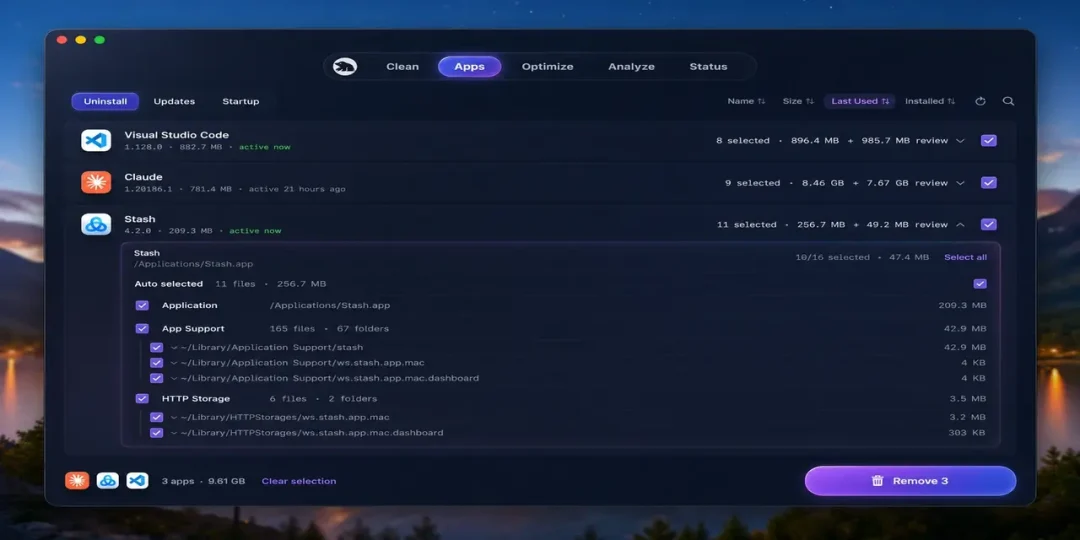
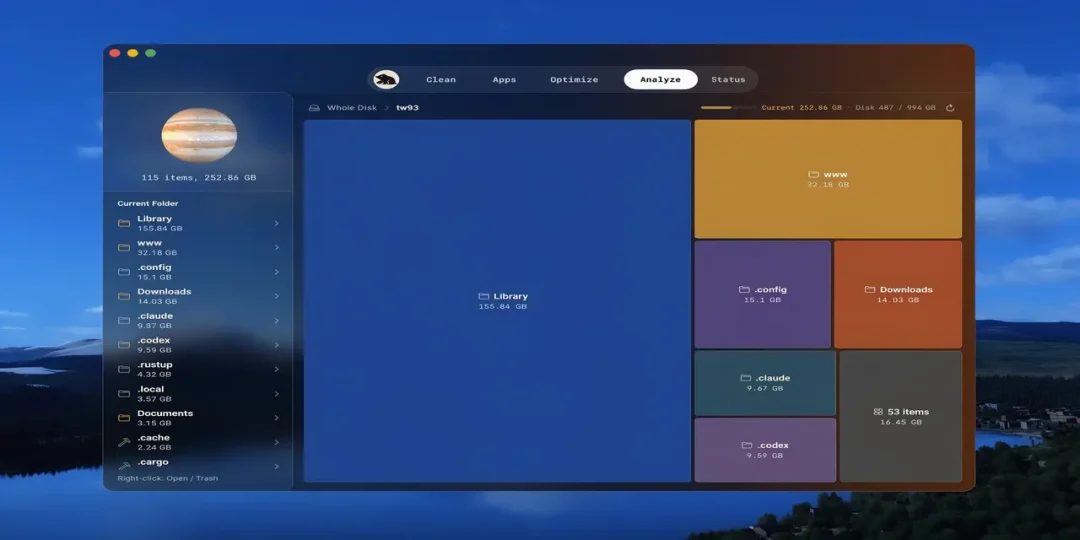
It is available in two forms. Its command line version is free and open source, while the dedicated Mac application provides a graphical interface with visual cleanup reviews, application updates, app removal, maintenance tools, disk maps, live system status, and a menu bar HUD.
The cleaning tools can identify caches, logs, browser leftovers, and other unnecessary data, while its uninstaller can look for associated application files such as preferences, launch agents, and other remnants. Its disk analysis features also help users understand which files and folders are consuming the most storage.
That’s particularly useful for Mac users who want several maintenance functions in one lightweight toolkit. Its current releases also focus on safer cleanup behavior, including protected removal paths and more cautious handling of uncertain application caches.
Supported Operating Systems
- macOS
- Apple Silicon Macs
- Intel Macs
Features
• Deep System Cleaning
Scan and remove unnecessary caches, logs, browser leftovers, and other files that can consume valuable storage.
• Smart App Uninstaller
Remove applications together with related preferences, launch agents, support files, and other leftover data.
• Disk Analysis
Visualize storage usage and locate large files and folders that are taking up significant disk space.
• System Maintenance
Run maintenance operations that help refresh selected macOS services and keep common system tasks organized.
• Live System Monitoring
Monitor CPU, GPU, memory, disk, and network activity in real time through Mole’s status tools.
• Menu Bar HUD
The Mac application provides quick access to live system information from the menu bar.
• Safe Cleanup
Recent releases include more cautious cleanup rules, including leaving macOS update files untouched and skipping application caches when their status cannot be determined safely.
• Terminal Support
The open source CLI version can be operated directly from Terminal and installed through Homebrew.
• Lightweight Toolkit
It combines cleaning, uninstalling, storage analysis, and system monitoring into a single toolkit instead of requiring several separate utilities.
What’s New
- More reliable update handling
- Safer file removal workflow
- Protected Trash path for files requiring additional permissions
- Improved disk analysis deletion handling
- Better SSH support for analysis operations
- Safer application cache cleanup rules
- Reduced terminal hangs during background operations
- Improved status preference handling
Why Download It?
- Clean unnecessary Mac files
- Remove applications and leftover data
- Analyze disk space visually
- Monitor system resources
- Manage maintenance tasks
- Access tools from the menu bar
- Use the free open source CLI version
- Replace several basic maintenance utilities with one toolkit
Frequently Asked Questions
What is Mole used for?
It is a Mac utility designed for cleaning unnecessary files, uninstalling applications, analyzing storage, performing maintenance, and monitoring system resources.
Is It free?
The Mole command line version is free and open source. A separate native Mac application is available with additional graphical features and is offered as a paid product.
Can Mole uninstall applications completely?
Its smart uninstaller is designed to remove applications along with associated files such as preferences, launch agents, and hidden remnants.
Can Mole analyze disk space?
Yes. It includes disk analysis tools that visualize storage usage and help identify large files and folders.
Does it monitor Mac performance?
Yes. Its live status features can show CPU, GPU, memory, disk, and network activity in real time.
Does it support Apple Silicon?
Yes. It’s built for modern macOS systems and supports Apple Silicon Macs. The project also provides a macOS CLI installation through Homebrew.
Final Verdict
This is a useful choice for Mac users who want cleaning, application removal, storage analysis, maintenance, and system monitoring in one toolkit. Its combination of an open source command line utility and a dedicated graphical Mac application gives users different ways to manage their system.
For users who regularly clean storage, remove unwanted applications, investigate disk usage, or monitor system resources, Mole for macOS provides a practical and focused maintenance solution without requiring several separate utilities.
Thank you for visit MacHubSoft