CleanMyMac X for macOS – Advanced Mac Cleanup, Storage Optimization & System Maintenance Utility for Apple Silicon and Intel Macs

CleanMyMac X is a professional Mac optimization and maintenance application designed to help users keep their systems clean, secure, and running at maximum performance. Over time, macOS accumulates caches, logs, temporary files, application leftovers, and other unnecessary data that consume valuable storage space and can impact overall responsiveness.
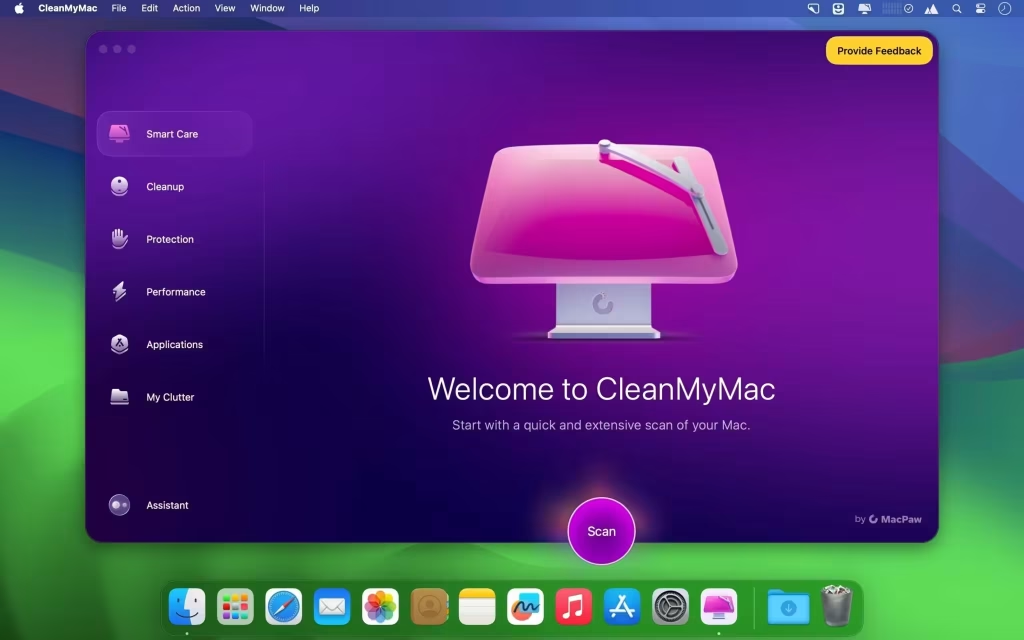
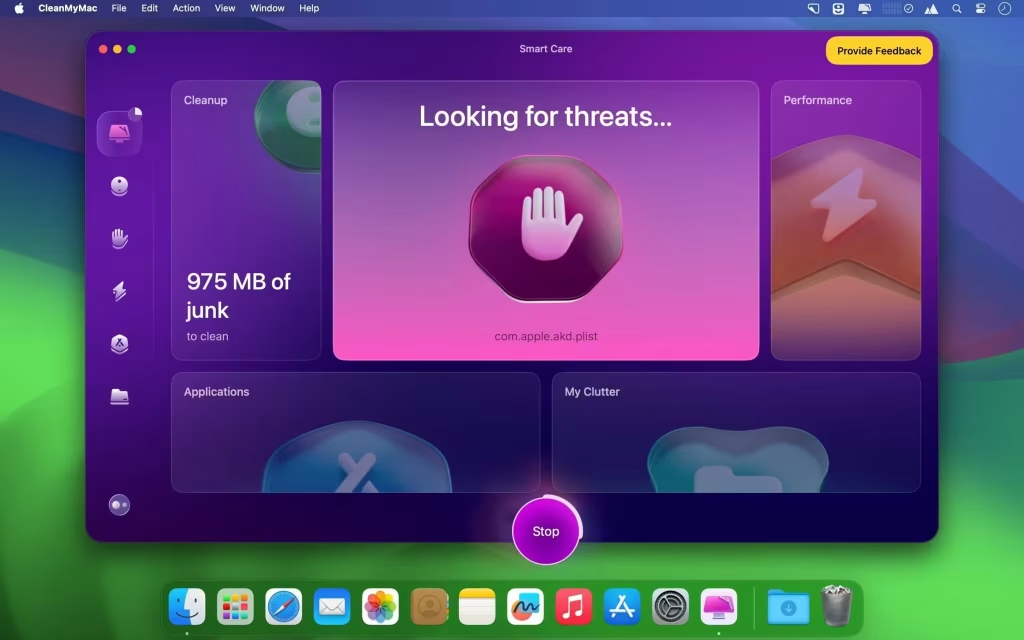
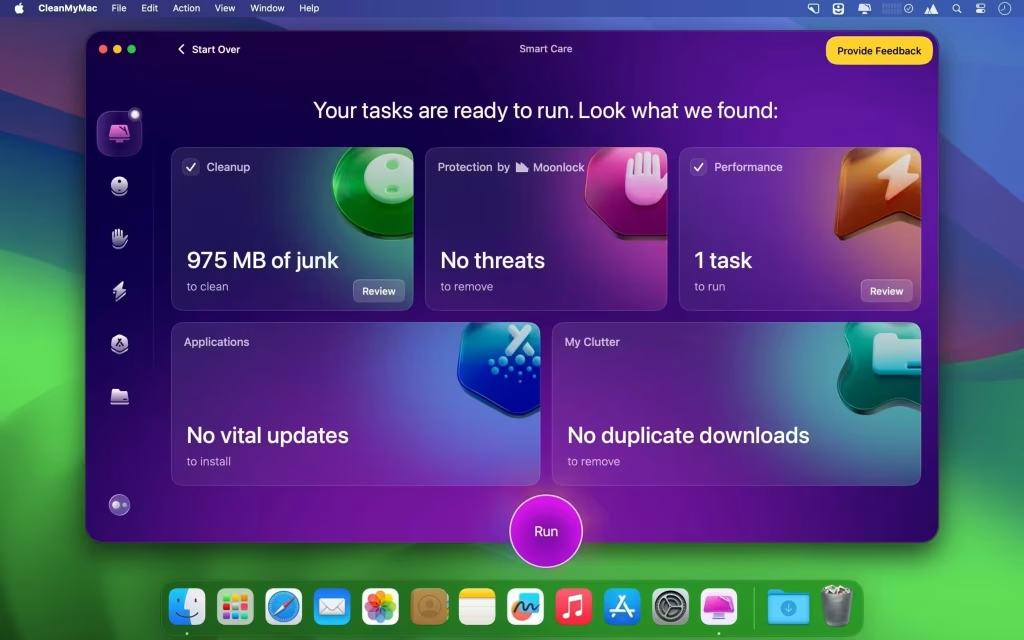
With its powerful Smart Scan engine, CleanMyMac X helps identify junk files, optimize system performance, monitor hardware health, remove malware threats, and manage applications from a single intuitive dashboard. The software supports both Apple Silicon and Intel-based Macs, making it one of the most trusted maintenance solutions available for modern macOS devices.
Supported Operating Systems
- macOS Sequoia
- macOS Sonoma
- macOS Ventura
- macOS Monterey
- macOS Big Sur
Processor Support
- Apple M1
- Apple M2
- Apple M3
- Apple M4
- Intel Processors
Features
• Smart Scan
Automatically analyzes your Mac for junk files, malware threats, performance issues, and maintenance opportunities in a single click.
• System Junk Cleanup
Safely removes temporary files, outdated caches, logs, broken downloads, and unnecessary system data to free up valuable disk space.
• Application Uninstaller
Completely uninstall applications along with hidden leftovers, preferences, support files, and cached data that standard deletion methods often miss.
• Malware Removal
Detects suspicious files, adware, unwanted software, and security threats to help keep your Mac protected from potential attacks.
• Storage Space Analyzer
Provides a visual breakdown of storage usage, helping users quickly locate large files and folders consuming significant disk space.
• Startup Optimization
Manage login items and background processes to improve boot times and overall system responsiveness.
• Privacy Protection
Remove browser history, cookies, recent activity traces, and sensitive information from your Mac to maintain privacy.
• Real-Time Monitoring
Monitor CPU usage, memory consumption, storage health, battery performance, and system temperature directly from the menu bar.
• Duplicate File Finder
Identify duplicate photos, videos, documents, and other files to recover wasted storage space.
• Maintenance Tools
Run system maintenance scripts and optimization routines designed to improve stability and long-term performance.
What’s New
- Improved macOS Sequoia compatibility
- Enhanced Smart Scan performance
- Faster storage analysis engine
- Better malware detection capabilities
- Improved application removal process
- Updated user interface elements
- Enhanced Apple Silicon optimization
- Various bug fixes and stability improvements
Why Download CleanMyMac X?
- Free up valuable storage space
- Improve Mac performance
- Remove unnecessary files safely
- Monitor hardware resources
- Protect privacy and security
- Simplify system maintenance
- Support for latest macOS versions
- Native Apple Silicon compatibility
Frequently Asked Questions
Is CleanMyMac X safe to use?
Yes. It is designed specifically for macOS and includes safety checks before removing files.
Does CleanMyMac X support Apple Silicon Macs?
Yes. The latest version fully supports Apple M1, M2, M3, and M4 processors.
Can it remove applications completely?
Yes. The built-in uninstaller removes apps along with associated support files and leftovers.
Does it help improve Mac performance?
Yes. By removing unnecessary files and optimizing startup processes, it can improve responsiveness and free storage space.
Is internet required after installation?
Most maintenance and optimization tools can be used offline after installation.
Does it work on macOS Sequoia?
Yes. The latest release is optimized for macOS Sequoia and previous supported versions.
Final Verdict
It remains one of the most comprehensive Mac maintenance solutions available in 2026. Combining powerful cleanup tools, malware protection, storage management, privacy controls, and performance optimization features, it provides everything needed to keep a Mac running smoothly. Whether you need to free storage space, remove unwanted applications, optimize startup performance, or monitor system health, CleanMyMac X offers a reliable and user-friendly solution for both casual and professional Mac users.
Thank you for visiting MacHubSoft. Explore more useful Mac software and discover tools that fit your needs.