PopClip for macOS – Smart Text Editing, Clipboard Manager & Productivity Utility for Mac

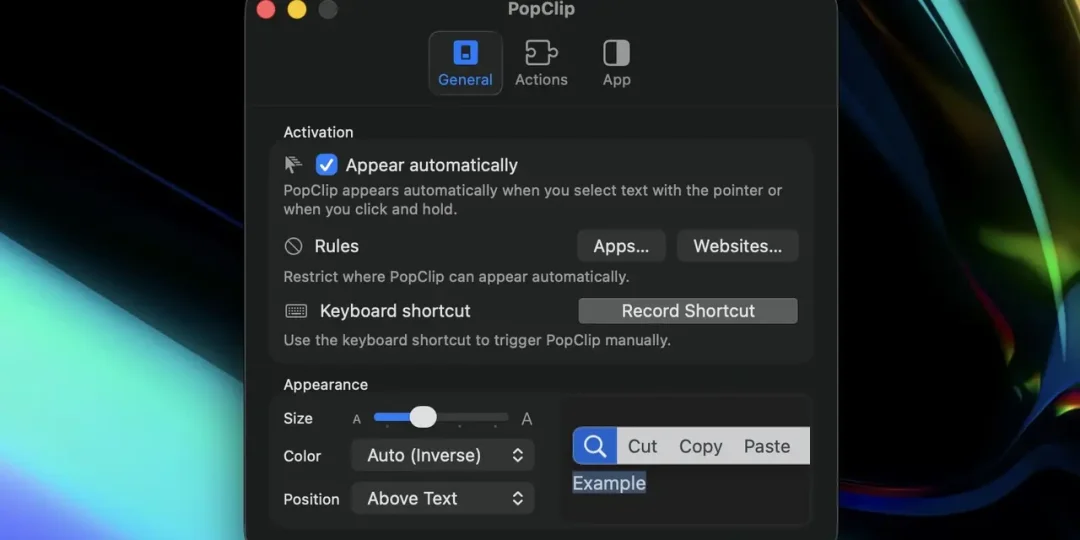
PopClip for macOS is a productivity utility designed to make common text actions faster and more convenient on Mac computers. When you select text with a mouse or trackpad, PopClip displays a small contextual toolbar containing useful actions such as copy, paste, search, and other commands. Instead of repeatedly using keyboard shortcuts or navigating through application menus, users can access frequently needed actions directly beside the selected text.
Developed by Pilotmoon Software, PopClip is built around the idea of providing instant actions wherever text can be selected. Its lightweight interface stays out of the way during normal work and appears when needed, making it useful for writing, research, browsing, communication, and other everyday Mac workflows. The developer describes PopClip as an app for “instant text actions,” and its extension system allows the basic selection toolbar to be expanded with additional capabilities.
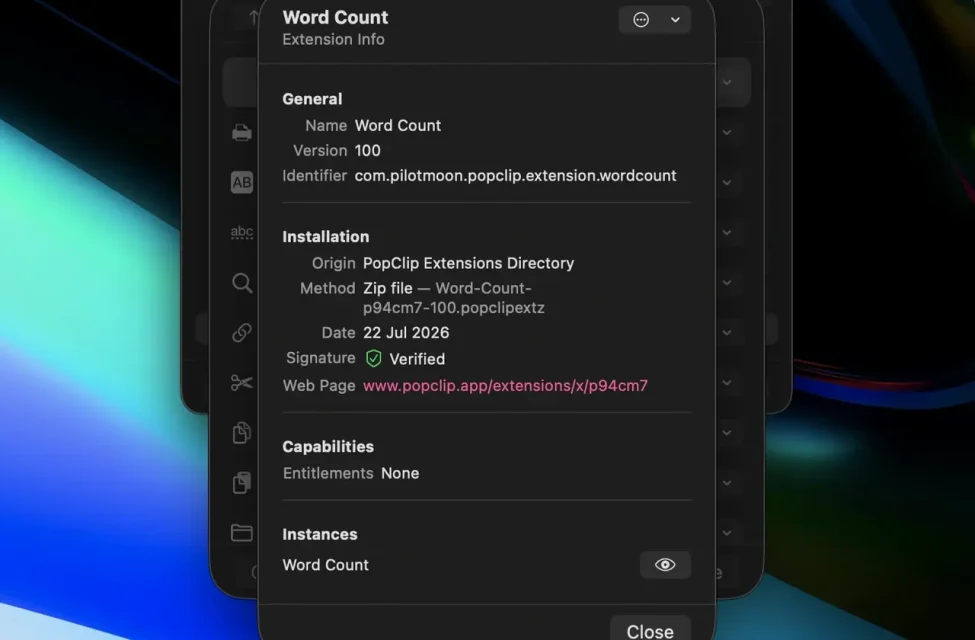
One of PopClip’s most useful features is its extension system. Extensions can add actions for specific tasks and services, allowing users to customize what appears when text is selected. The official extension collection includes integrations and specialized actions, giving users the ability to adapt PopClip to different workflows.
PopClip can be especially helpful for people who frequently work with text across multiple applications. Writers can use it for quick text operations, researchers can access search-related actions, and professionals can customize their toolbar with tools that match their daily workflow. Because the available actions appear contextually, users do not have to remember a different menu location for every application.
The application has also evolved alongside macOS. Earlier releases included compatibility improvements for applications such as Safari, Firefox, Brave, JetBrains software, Microsoft PowerPoint, 1Password, and other environments. PopClip’s extension system has also been updated over time to work with changes introduced by macOS. For example, the developer introduced JavaScript-based extensions in response to macOS Monterey no longer including the PHP runtime by default.
PopClip is therefore more than a simple copy-and-paste helper. Its main advantage is the ability to turn text selection into a customizable command center. Users can keep their most frequently used text actions immediately accessible while leaving less common functions available through extensions.
For Mac users who regularly select, edit, copy, search, transform, or otherwise work with text, PopClip for macOS provides a convenient way to reduce repetitive actions and build a more efficient desktop workflow.
read also: SoundSource
Download Link
✅ Full Version Available
✅ Latest Release
✅ Apple Silicon Supported
✅ Intel Mac Supported
✅ Offline Installer
✅ Smart Text Productivity Tool
Supported Operating Systems
- macOS Sequoia
- macOS Sonoma
- macOS Ventura
- macOS Monterey
- macOS Big Sur
Processor Support
- Apple M1
- Apple M2
- Apple M3
- Apple M4
- Intel Macs
Features
• Smart Text Popup
Automatically displays a convenient editing menu whenever text is selected in supported macOS applications.
• Copy, Cut & Paste Tools
Perform common clipboard operations instantly without relying on keyboard shortcuts or menu bars.
• Powerful Extension Library
Expand functionality with hundreds of extensions for ChatGPT, Google, DeepL, Notion, Evernote, Obsidian, Todoist, Slack, and many other services.
• Instant Text Formatting
Convert text to uppercase, lowercase, title case, sentence case, remove formatting, and perform other formatting operations in one click.
• Translation Support
Translate selected text using popular translation services directly from the PopClip menu.
• Web Search Integration
Search Google, Bing, DuckDuckGo, Wikipedia, GitHub, Stack Overflow, and other websites without opening additional browser tabs.
• AI Workflow Support
Quickly send selected text to compatible AI assistants and writing tools for summarization, rewriting, explanation, or content generation.
• Custom Extensions
Create your own extensions or install community-developed plugins to automate repetitive text-processing tasks.
• Clipboard Productivity
Simplify copying, sharing, opening links, extracting URLs, counting words, and processing selected content across applications.
• Native macOS Performance
Built specifically for macOS, PopClip delivers excellent responsiveness while consuming minimal CPU and memory resources.
What’s New
- Improved macOS Sequoia compatibility
- Enhanced Apple Silicon optimization
- Faster extension loading
- Better clipboard performance
- Expanded extension compatibility
- Improved AI workflow integrations
- Enhanced accessibility support
- Stability improvements and bug fixes
Why Download PopClip?
- Speed up everyday text editing
- Instantly access useful text actions
- Integrate with hundreds of services
- Improve clipboard productivity
- Translate and format text quickly
- Automate repetitive workflows
- Lightweight native macOS utility
- Optimized for modern Apple hardware
Frequently Asked Questions
What is PopClip used for?
It is a productivity utility that displays a popup menu whenever text is selected, allowing users to quickly copy, paste, search, translate, format, and process text.
Does PopClip support Apple Silicon Macs?
Yes. The latest version runs natively on Apple M1, M2, M3, and M4 processors while also supporting Intel-based Macs.
Can I install custom extensions?
Yes. it supports hundreds of official and community-created extensions, and users can also create their own custom actions.
Does PopClip work in all applications?
This works with most native macOS applications and many third-party apps that support standard text selection.
Can PopClip integrate with AI tools?
Yes. Extensions are available that allow selected text to be sent directly to compatible AI assistants and productivity services.
Is PopClip suitable for professional users?
Absolutely. Writers, developers, researchers, students, editors, and office professionals use PopClip to save time and streamline daily workflows.
Final Verdict
PopClip remains one of the most useful productivity utilities available for macOS in 2026. By transforming simple text selection into a powerful workflow hub, it enables faster editing, smarter clipboard management, and seamless integration with hundreds of applications and online services. Whether you’re writing documents, coding software, researching information, or managing daily tasks, PopClip delivers an elegant and highly efficient productivity experience for every Mac user.
Thank you for visit MacHubSoft