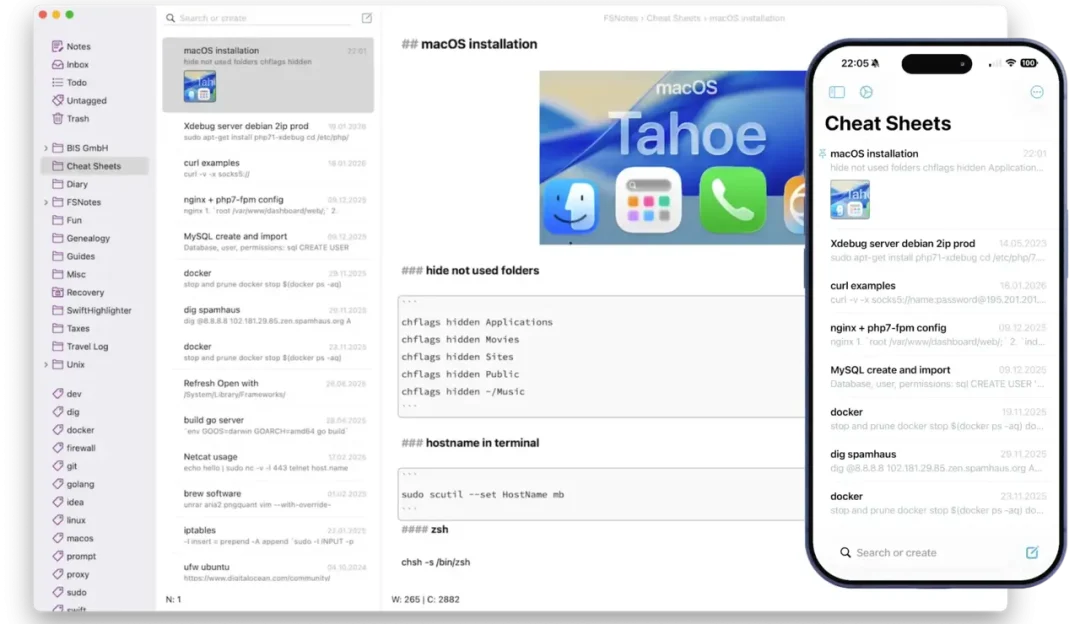
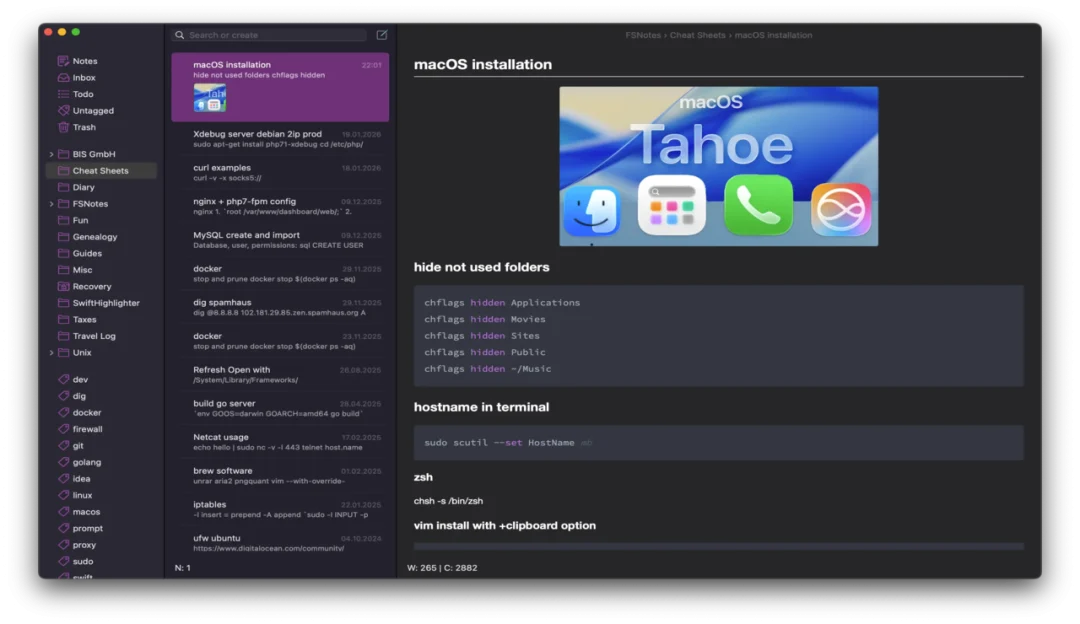
FSNotes for macOS – Fast Markdown Note-Taking, Knowledge Management & Plain Text Editor for Mac

FSNotes for macOS is a lightweight note-taking and knowledge-management application designed for users who want a fast and organized way to create, edit, and manage notes on their Mac. Built around plain-text and Markdown-based workflows, FSNotes provides a practical environment for capturing ideas, writing documentation, keeping personal notes, recording research, and organizing information without the complexity of a traditional office application.
One of the main advantages of FSNotes is its focus on simplicity. Instead of presenting users with a large collection of complicated productivity features, the application provides a clean workspace for creating and managing text-based notes. This makes it suitable for everything from quick reminders and daily notes to larger collections of technical documentation, project information, research material, and personal knowledge.
FSNotes is particularly appealing to Markdown users because Markdown formatting can be written directly inside notes. Users can create headings, lists, links, emphasis, code snippets, and other supported Markdown elements while maintaining content in a format that remains relatively portable and easy to work with. This approach is useful for writers, developers, researchers, students, and anyone who prefers structured plain-text documents.
The application also provides organizational tools that make large note collections easier to navigate. Notes can be arranged into folders and categorized with tags, while search functionality helps users locate information when a collection becomes larger. Instead of keeping dozens of unrelated text files scattered across a Mac, users can maintain a structured library of notes within a dedicated interface.
Another important aspect of FSNotes is its emphasis on speed and keyboard-driven workflows. Users who prefer shortcuts and quick navigation can perform many common actions without repeatedly switching between the keyboard and mouse. This can make the application convenient for capturing thoughts quickly, writing technical notes, or maintaining information throughout the day.
FSNotes can also be useful for users who value ownership and portability of their written information. Because its workflow is based around Markdown and text-oriented documents, notes can be easier to work with outside of a proprietary editor compared with content locked into a specialized database format. This makes FSNotes an attractive option for people who want a lightweight knowledge base that remains closely connected to standard text formats.
For Mac users looking for a focused note-taking application rather than an oversized productivity suite, FSNotes for macOS provides a simple combination of Markdown editing, note organization, search, tagging, and keyboard-friendly productivity features.
Download Link
✅ Full Version Available
✅ Latest Release
✅ Apple Silicon Supported
✅ Intel Mac Supported
✅ Offline Installer
✅ Markdown Note-Taking Utility
Supported Operating Systems
- macOS Sequoia
- macOS Sonoma
- macOS Ventura
- macOS Monterey
- macOS Big Sur
Processor Support
- Apple M1
- Apple M2
- Apple M3
- Apple M4
- Intel Macs
Features
• Markdown Editor
Create clean, well-formatted notes using full Markdown support with live editing and syntax highlighting.
• Lightning-Fast Search
Instantly locate notes using full-text search, making it easy to find information even within large note collections.
• Plain Text Storage
Store notes as plain text and Markdown files, ensuring long-term compatibility and easy access without proprietary formats.
• iCloud Synchronization
Synchronize notes across your Apple devices using iCloud for seamless access wherever you work.
• Folder & Tag Organization
Organize notes using folders, nested directories, and tags for efficient knowledge management.
• Keyboard-Centered Workflow
Navigate, search, and edit notes quickly using customizable keyboard shortcuts for maximum productivity.
• Code Syntax Highlighting
View and edit programming code with syntax highlighting, making FSNotes useful for developers and technical writers.
• Rich File Attachments
Insert images, links, and other supported content into notes while maintaining a clean writing environment.
• Open File-Based System
Access, edit, and back up your notes easily since all files are stored in standard text formats.
• Native macOS Performance
Designed specifically for macOS, providing smooth scrolling, fast indexing, and excellent Apple Silicon optimization.
What’s New
- Improved macOS Sequoia compatibility
- Enhanced Apple Silicon performance
- Faster note indexing
- Better Markdown rendering
- Improved iCloud synchronization
- Updated search functionality
- Enhanced editor responsiveness
- Stability improvements and bug fixes
Why Download FSNotes?
- Create and manage Markdown notes
- Organize knowledge efficiently
- Lightning-fast full-text search
- Store notes in plain text format
- Sync across Apple devices with iCloud
- Ideal for writers and developers
- Lightweight and distraction-free
- Optimized for modern macOS systems
Frequently Asked Questions
What is FSNotes used for?
FSNotes is a Markdown-based note-taking application used for writing, organizing, searching, and managing plain text notes on macOS.
Does FSNotes support Apple Silicon Macs?
Yes. The latest version is fully compatible with Apple M1, M2, M3, and M4 processors while also supporting Intel-based Macs.
Does FSNotes support Markdown?
Yes. Full Markdown editing and formatting are built into the application, making it ideal for technical writing and documentation.
Can I sync notes with iCloud?
Yes. FSNotes supports iCloud synchronization, allowing notes to be accessed across compatible Apple devices.
Are notes stored in a proprietary format?
No. Notes are stored as standard plain text or Markdown files, making them easy to edit with other applications and back up.
Is FSNotes suitable for developers and writers?
Absolutely. Its lightweight interface, Markdown support, code syntax highlighting, and fast search capabilities make it an excellent productivity tool for developers, writers, students, and researchers.
Final Verdict
FSNotes is one of the best lightweight note-taking applications available for macOS in 2026. Combining Markdown support, blazing-fast search, iCloud synchronization, and a simple file-based storage system, it offers an efficient and distraction-free environment for managing notes and personal knowledge. Whether you’re documenting projects, writing articles, organizing research, or keeping daily notes, FSNotes delivers a fast, reliable, and highly productive experience for every Mac user.
Thank you for visit MacHubSoft